This is how YOMA online works
Although it is fun to meet IRL, it can sometimes be difficult to travel to a course and participate in person. Then you can participate online instead. This means you won’t be in chamber music and orchestra groups, but you will have individual and group lessons online. However, please check the orchestra lists as you may be assigned to a section to practise for future courses.
You connect to Zoom via a link that we send you a few days before the course.
You will receive a document with Zoom instructions by email. It is important that you use a good camera, good sound equipment and are in a quiet environment. Before each course, you should attend a technical check at the beginning of the week. We will check that your video and audio are working well. It is important that you attend these checks, even if you have attended before, to prevent technical problems. If there is a technical problem during your lesson, it means lost time for both you and your instructor.
Zoom
Download the Zoom app, do not use Zoom in your browser. Make sure you have the latest version of Zoom – there should be a notification in the Zoom menu when it’s time to update.
Good camera
It’s best to use an external camera (webcam). It doesn’t have to cost a lot and often has a microphone that provides good sound as well. Make sure you choose the right webcam for audio and video input in Zoom (see our Zoom instructions if you need help).
Good sound
It is best to use an external microphone. The microphone found in your external webcam is also okay. When testing your sound, don’t forget to also play something on your instrument. It often happens that speech works fine, but the programme removes the music.
Good environment
Don’t stand/sit with your back to the window or other light source, but make sure the light is directed towards you instead.
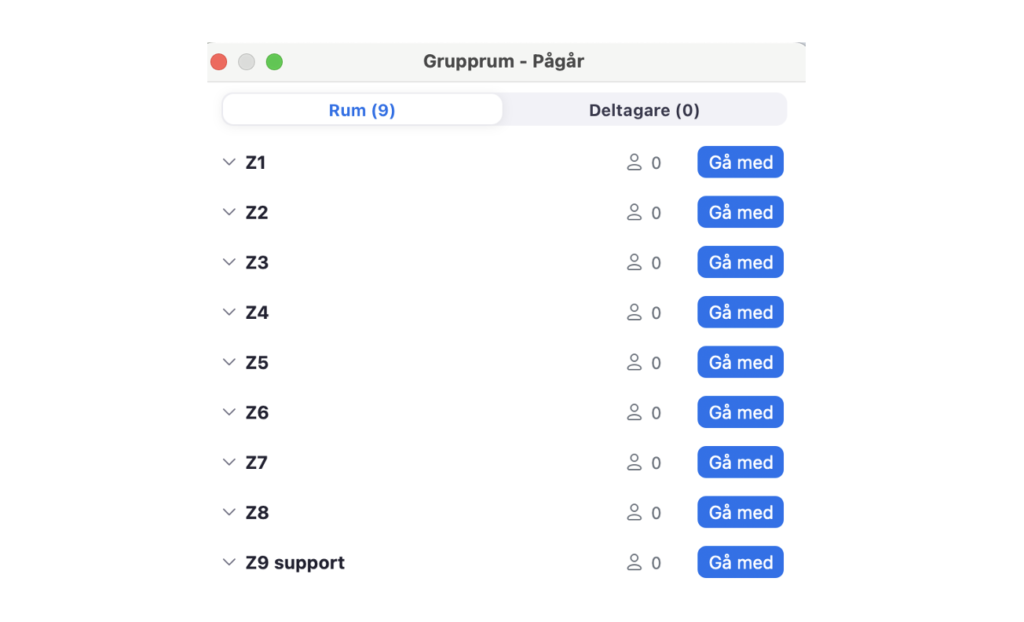
Breakout rooms, like different classrooms on a campus
You will have your lesson in a breakout room on Zoom where you and your teacher (and possibly other students) will move to from the joint Zoom conference. You can see in your timetable which room you will be in. As a participant, teacher or accompanying educator, you can move to different rooms to
- attend lessons on your schedule, such as master classes, individual lessons and group lessons
- listen to other lessons when you have nothing on your schedule. In this way, as a accompanying educator you can follow your students, and as a participant you can learn from others.
- follow section and ensemble rehearsals with your group when you cannot be present